Building TrustRespond.ai: A reviewable RAG workflow for security questionnaires
April 2026 · Damir Andrijanic · 8 min read
The enterprise compliance bottleneck
Every B2B SaaS team chasing an enterprise deal knows the pattern: the vendor security questionnaire arrives as a massive, 200-row Excel file from IT, packed with precise questions about data security, SOC 2 evidence, and internal policies.
Mapping your real security documents onto those spreadsheets manually burns weeks of engineering and sales time. Formatting breaks, context gets lost, and the deal cycle slips.
TrustRespond.ai
I built TrustRespond.ai as a private functional prototype to test the full document-to-questionnaire workflow.
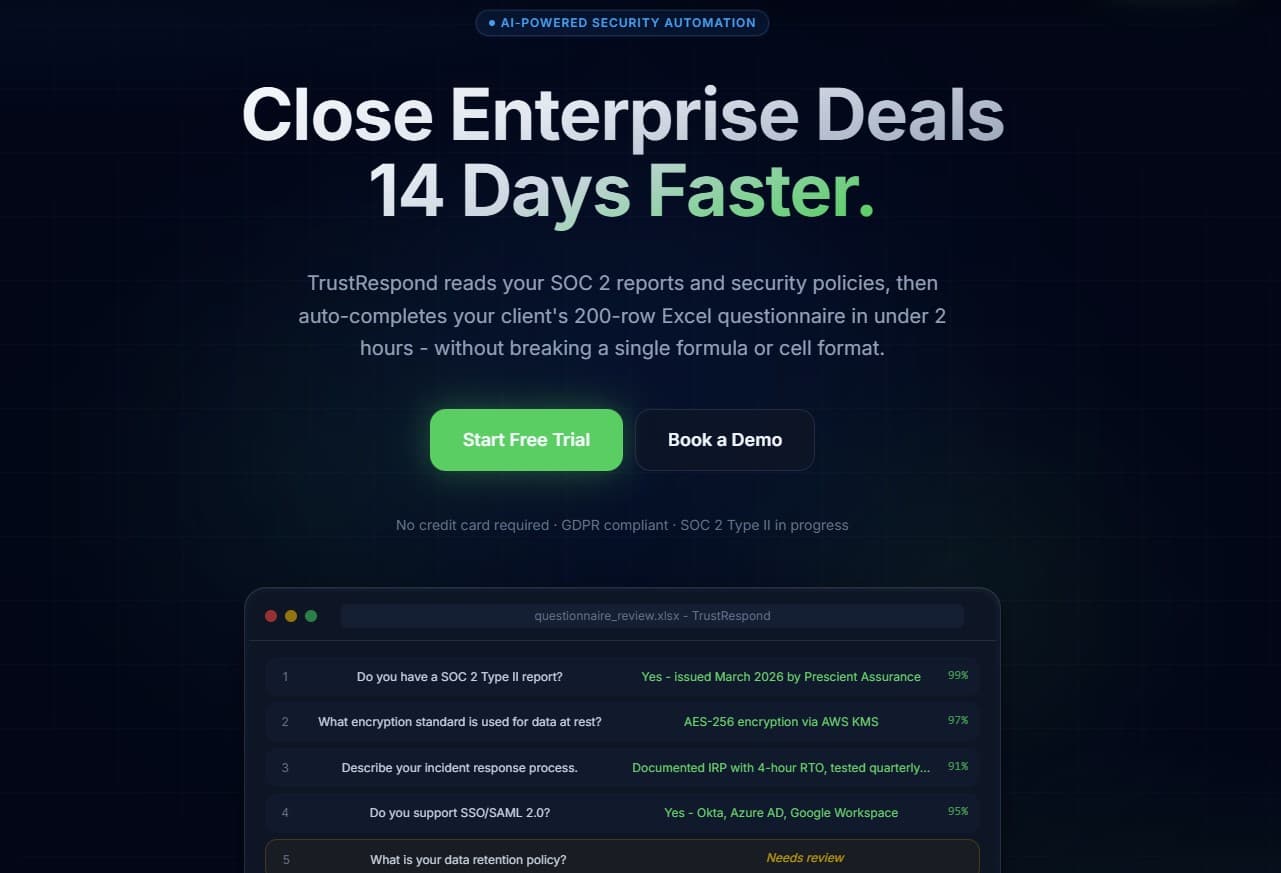
The codebase processes compliance documents into a vector store, reads Excel questionnaires, drafts grounded answers with Gemini, flags uncertain output for review, and writes answers into a new XLSX file. It demonstrates the architecture; it is not yet evidence of a customer deployment.
Technical architecture and stack
Framework
Next.js 16 (App Router) in a monorepo with server-side API routes and a separate worker.
Database and auth
Supabase (PostgreSQL) for authentication, Row Level Security (RLS), and durable application state.
Vector engine
pgvector for storing and querying document embeddings at query time.
AI and LLMs
Gemini-based retrieval and generation primitives with structured output, bounded concurrency, batching, retry, and fallback.
Monetization
Stripe Checkout and signature-verified webhooks as a server-side foundation for organization plan state.
Styling
Tailwind CSS with a custom enterprise B2B design language: glass surfaces, deep navy backgrounds, and emerald accents.
Key engineering challenges
1) Bounded questionnaire generation
Issue: Large questionnaires can create many model calls, variable runtime, and partial failures.
Fix: The worker processes questions in batches of 8–12, limits concurrent retrieval, retries failed batch calls, and falls back to per-question generation. Telemetry records duration and fallback counts.
2) Tenant isolation for privileged jobs
Issue: Background jobs need privileged storage and database access without touching another organization's data.
Fix: The API derives org_id from the authenticated session; queries, storage keys, and updates remain organization-scoped, with RLS as the outer database boundary.
3) Server-authoritative plan state
Issue: Client-side plan claims must not unlock quota or access.
Fix: The Stripe webhook reads the raw body, verifies the signature, and updates organization plan state only through the server-side service client.
The user experience
The UI supports upload, mapping, review states, and export. It is part of a functional prototype; visual polish is not presented as proof of product or customer maturity.
The result
The private codebase implements upload, retrieval, answer generation, manual review, and XLSX export while preserving workbook structure.
Current status
Functional prototype
Public benchmark
Not claimed
Unit, build, and optional E2E checks verify the implemented path. Runtime, accuracy, adoption, and time saved remain open until measured reproducibly.
Takeaway
Vendor security questionnaires look like a paperwork problem, but under the hood they are a retrieval, security, and data-modeling problem. Solve those three cleanly, and sales stops waiting on spreadsheets.
The public product preview is available at: